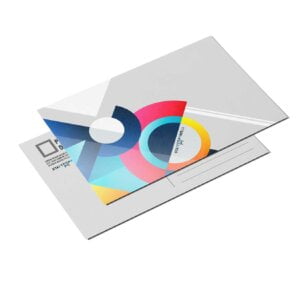
Business Card Kraft

From $0.35

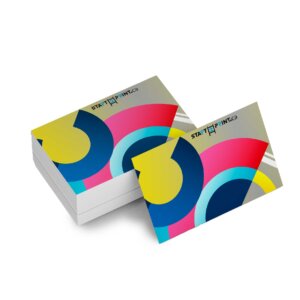
  • Kraft Paper business cards will help you stand out from the competition. Most suitable for bold, dark-colored designs, the fibres of the paper will give your design a natural look. 100% recyclable and produced in a sustainable process, they are the perfect option for those who like to print on high-quality paper stock, but with an environmentally friendly look and feel.
{{nbd_fields['f1609565697662'].invalidOption}} is not available
{{nbd_fields['f1610867493873'].invalidOption}} is not available
{{nbd_fields['f1610814888277'].invalidOption}} is not available
{{nbd_fields['f1611102313021'].invalidOption}} is not available
{{nbd_fields['f1611102344849'].invalidOption}} is not available
{{nbd_fields['f1609565932906'].invalidOption}} is not available

Please check invalid fields and quantity input or choose a different combination!

online design

Upload design

Artwork name :
Front Side
Back Side
Complete

← Back to option

ARTWORK PREPARATION TIPS

  1. Be sure to DELETE any hidden layers that are not intended to print (ie: setup guide layers or other hidden artwork layers) to ensure no risk of them appearing on the final print.
  2. Files must be submitted with proper orientation to ensure proper back up.
  3. It is best to try to avoid using borders in your design. If a border is too close to the trim, the trim may be slightly off-center.
  4. Ensure that your PDF is high res and that all images are CMYK at 300 DPI.
  5. All type must be outlined (not embedded).
  6. No linked images.
  7. If file contains a dieline, it must be a separate spot colour called Dieline and be on its own layer.
  8. The dieline shape must be a single path stroked.
  9. Please provide vector only artwork for type, logos, shapes and all other artwork. Only provide embedded raster artwork for actual 4/C images.
  10. Black type should have the following values: C0, M0, Y0, K100.
  11. The trim size of the Illustrator file must match the final trim size of the label. Use bleed settings in Illustrator of 0.0625 inches minimum each way.
  12. If you select a White Ink option with your order, please supply a single file that includes CMYK (if necessary) and a spot colour called exactly White_Ink. Do not supply separate files for CMYK and White Ink. If you want white ink to print under a blue colour, you need to set either the blue shape or the White_Ink shape to overprint to achieve this. You may also want to set a White_Ink shape to knockout so nothing prints on top of it. Remember to set overprints on any Dieline.
  13. File should be CMYK only (no RGB) with a Dieline and/or White_Ink spot colour depending on your order specifications.
  14. If you select Black Only option on your order, the file you supply should be K only (not CMYK or RGB) with a Dieline and/or White_Ink spot colours depending on your order specifications.

( * file extension allowed: .pdf )

How would you like to design your Business Card Kraft

Upload a full design

  • - Have a complete design
  • - Have your own designer

Design here online

  • - Already have your concept
  • - Customise every detail
×
Estimated Shipping Cost

SKU: s2p18827 Category:
Description

Description

Business Card Kraft

18PT Kraft Board

Simple yet striking, Kraft Paper business cards are unique in appearance and feel. With their cool vintage look, they are a high quality paper stock that’s environmentally friendly.


Features


  Business Card Kraft

lightweaight-icn

Lightweight

Slim and stylish, these cards will easily slip into any pocket, purse, or bag.
Business Card Kraft

recycled-paper-icn

100% Recycled Paper

Our Kraft paper from recycled card stocks enables you to be environmentally conscious without having to worry about compromising quality or budget.

Additional information

Additional information

Weight0.03 lbs
Dimensions10 × 40 × 40 in
How To Set Up Your Files

How To Set Up Your Files

General File Preparation Guidelines

  1. Download our guides to ensure a more optimal print result.
  2. Be sure to DELETE any hidden layers that are not intended to print (ie: setup guide layers or other hidden artwork layers) to ensure no risk of them appearing on the final print.
  3. Each job (including multiple paged projects) must be submitted as a single PDF file. Ensure that all pages are the same size.
  4. Files must be submitted with proper orientation to ensure proper backup.
  5. It is best to try to avoid using borders in your design. If a border is too close to the trim, the trim may be slightly off-center.
  6. File must consist of 1/8″ bleed and all important art and text must be within the safety margin.
  7. Ensure that your PDF is high res and that all images are CMYK at 300 DPI.
  8. Black type should have the following values: C0, M0, Y0, K100.
  9. Embed or outline all fonts.
  10. For best colour results, supply a CMYK only files.
Download Setup Guide

Download Setup Guide

Step 1:

Ensure the file matches the product’s required dimensions. Ensure that the artwork
is created in CMYK 300 dpi with 1/16 inch bleeds on all sides.

 

Step 2:

Make sure that all images are embedded, and that all the text is outlined.

 

Step 3:

Export all files into PDF format with bleeds.


How to set up multi-page files properly

Shipping & Delivery