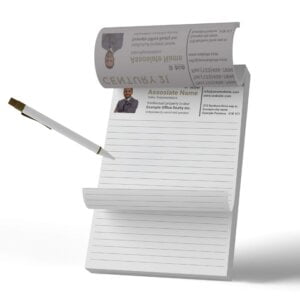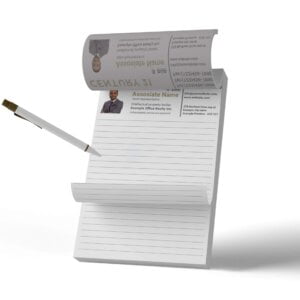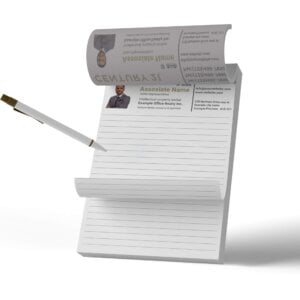
Century 21 Notepad 4″x6″

From $4.79

  • Stay organized and professional with Century 21 Notepad in 4″x6″ size. Perfect for taking notes, writing memos, and keeping track of important tasks. With the Century 21 logo prominently displayed, this notepad is a great addition to any real estate office. Order now and streamline your workflow.
{{nbd_fields['f1609542805675'].invalidOption}} is not available
{{nbd_fields['f1609542808457'].invalidOption}} is not available
{{nbd_fields['f1606447594690'].invalidOption}} is not available
{{nbd_fields['f1606448260897'].invalidOption}} is not available
{{nbd_fields['f1606448378541'].invalidOption}} is not available
{{nbd_fields['f1611087430165'].invalidOption}} is not available
{{nbd_fields['f1677129573275'].invalidOption}} is not available

Please check invalid fields and quantity input or choose a different combination!

online design

Upload design

Artwork name :
Side 1
Complete

← Back to option

ARTWORK PREPARATION TIPS

  1. Be sure to DELETE any hidden layers that are not intended to print (ie: setup guide layers or other hidden artwork layers) to ensure no risk of them appearing on the final print.
  2. Files must be submitted with proper orientation to ensure proper back up.
  3. It is best to try to avoid using borders in your design. If a border is too close to the trim, the trim may be slightly off-center.
  4. Ensure that your PDF is high res and that all images are CMYK at 300 DPI.
  5. All type must be outlined (not embedded).
  6. No linked images.
  7. If file contains a dieline, it must be a separate spot colour called Dieline and be on its own layer.
  8. The dieline shape must be a single path stroked.
  9. Please provide vector only artwork for type, logos, shapes and all other artwork. Only provide embedded raster artwork for actual 4/C images.
  10. Black type should have the following values: C0, M0, Y0, K100.
  11. The trim size of the Illustrator file must match the final trim size of the label. Use bleed settings in Illustrator of 0.0625 inches minimum each way.
  12. If you select a White Ink option with your order, please supply a single file that includes CMYK (if necessary) and a spot colour called exactly White_Ink. Do not supply separate files for CMYK and White Ink. If you want white ink to print under a blue colour, you need to set either the blue shape or the White_Ink shape to overprint to achieve this. You may also want to set a White_Ink shape to knockout so nothing prints on top of it. Remember to set overprints on any Dieline.
  13. File should be CMYK only (no RGB) with a Dieline and/or White_Ink spot colour depending on your order specifications.
  14. If you select Black Only option on your order, the file you supply should be K only (not CMYK or RGB) with a Dieline and/or White_Ink spot colours depending on your order specifications.

( * file extension allowed: .pdf )

How would you like to design your Century 21 Notepad 4"x6"

Upload a full design

  • - Have a complete design
  • - Have your own designer

Design here online

  • - Already have your concept
  • - Customise every detail
×
Estimated Shipping Cost

SKU: s2p32858 Category:
Description

Description

Century 21 Notepad 4″x6″

Looking for a high-quality, professional notepad that can be personalized with your Century 21 branding? Look no further than our custom Century 21 Notepad 4″x6″!

These notepads are perfect for real estate agents who need a reliable and stylish notepad to take notes during meetings, showings, or open houses. They are also great for office use, with a sleek design that will look great on any desk.

Personalized Real Estate Notepad Printing

Our Century 21 notepads are custom printed with your logo and branding, ensuring that your name is always top-of-mind with your clients and colleagues. And with, they are the perfect size for jotting down quick notes or to-do lists during meetings, showings, or open houses.

High-Quality Notepad with Custom Printing

Our custom Century 21 notepads are made with only the highest quality paper and printing materials, so you can be sure that your notepad will look and feel great. Plus, with fast turnaround times, you can have your custom notepads in hand in no time.

Order Your Century 21 Notepad Today

Our Century 21 notepads are expertly designed with high-quality materials to ensure durability and longevity, making them perfect for everyday use. The pads come in a standard size, with 50 sheets per pad, and are personalized with your business information and logo.

We understand the importance of branding and aim to provide a product that accurately reflects your business identity. Our team of experts can work with you to create a custom design that matches your branding and style, ensuring a cohesive look across all your marketing materials.

Ordering your Century 21 notepads is easy with Start2Print. Simply select your desired options, upload your artwork, and place your order. Our team will take care of the rest, ensuring a quick turnaround time and exceptional customer service. So why wait? Order your Century 21 notepads today and start taking notes in style!

© 2023 Start2Print. All rights reserved.

Additional information

Additional information

Weight 0.50 lbs
Dimensions 10 × 40 × 40 in
Product Specifications

Product Specifications

Stock Options:
  • 60lb Uncoated 
Sheets Per Pad Options:
  • 25 Sheets Per Pad
  • 50 Sheets per pad
Turnaround Time (Production Time Only):
  •  4 – 6 Business Days

2-4-Business-Days

Shipping Options

Shipping Options

  • We offer to ship for Canada and US States
  • Free Pick-up Option Available from our Location (Markham)
Design Options

Design Options

  • Use our free online design tool (begin by choosing one of our design templates)
  • Upload your own print-ready design files Let us design for you (hire a graphic design expert to work for you at an affordable price)
Shipping & Delivery