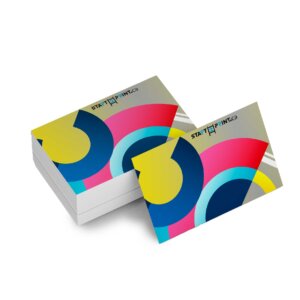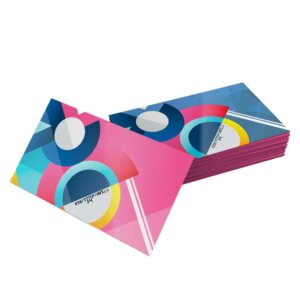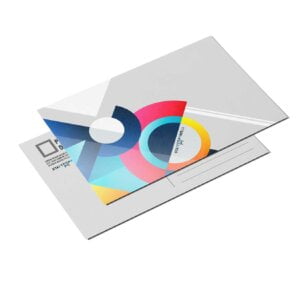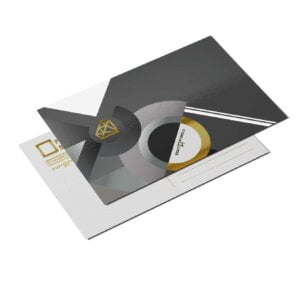
Cut to Shape Magnets

From $2.10

Print magnets in the shape that your clients want with these cut to shape custom magnets.

  • Printed on flexible 30mil magnet substrate
  • Available in standard or custom shapes
  • Adheres to indoor and outdoor magnetic surfaces
{{nbd_fields['f1611716453148'].value_name}}
Oval
Square
Circle
Custom
Rectangle
{{nbd_fields['f1611716453148'].invalidOption}} is not available
{{nbd_fields['f1611715942908'].invalidOption}} is not available
{{nbd_fields['f1609565697662'].invalidOption}} is not available
{{nbd_fields['f1610814888277'].invalidOption}} is not available
{{nbd_fields['f1611718614412'].invalidOption}} is not available
{{nbd_fields['f1611719169850'].invalidOption}} is not available
{{nbd_fields['f1611102313021'].invalidOption}} is not available
{{nbd_fields['f1611191759910'].invalidOption}} is not available

Please check invalid fields and quantity input or choose a different combination!

online design

Upload design

Artwork name :
Add Design File
Complete

ARTWORK PREPARATION TIPS

  1. Be sure to DELETE any hidden layers that are not intended to print (ie: setup guide layers or other hidden artwork layers) to ensure no risk of them appearing on the final print.
  2. Files must be submitted with proper orientation to ensure proper back up.
  3. It is best to try to avoid using borders in your design. If a border is too close to the trim, the trim may be slightly off-center.
  4. Ensure that your PDF is high res and that all images are CMYK at 300 DPI.
  5. All type must be outlined (not embedded).
  6. No linked images.
  7. If file contains a dieline, it must be a separate spot colour called Dieline and be on its own layer.
  8. The dieline shape must be a single path stroked.
  9. Please provide vector only artwork for type, logos, shapes and all other artwork. Only provide embedded raster artwork for actual 4/C images.
  10. Black type should have the following values: C0, M0, Y0, K100.
  11. The trim size of the Illustrator file must match the final trim size of the label. Use bleed settings in Illustrator of 0.0625 inches minimum each way.
  12. If you select a White Ink option with your order, please supply a single file that includes CMYK (if necessary) and a spot colour called exactly White_Ink. Do not supply separate files for CMYK and White Ink. If you want white ink to print under a blue colour, you need to set either the blue shape or the White_Ink shape to overprint to achieve this. You may also want to set a White_Ink shape to knockout so nothing prints on top of it. Remember to set overprints on any Dieline.
  13. File should be CMYK only (no RGB) with a Dieline and/or White_Ink spot colour depending on your order specifications.
  14. If you select Black Only option on your order, the file you supply should be K only (not CMYK or RGB) with a Dieline and/or White_Ink spot colours depending on your order specifications.

( * file extension allowed: .pdf )

×
Estimated Shipping Cost

SKU: s2p52515 Category:
Description

Description

die-cut-magnet-one-300x204

High Quality Magnets

This thick magnet substrate is suitable for both indoor and outdoor use. It will not de-magnetize and even contains anti-rust properties.

die-cut-magnet-two-300x204

Standard or Custom Shapes

Choose a standard shape, or select the custom shape option and provide a dieline in your file. We’ll cut the magnets to the shape you need.

die-cut-magnet-three-300x204

Powerful Branding Tools

Cut to shape magnets are perfect for branding. Get logos or unique designs printed on a magnet for a creative marketing tool that’s practical too.

Additional information

Additional information

Weight0.09 lbs
Dimensions10 × 40 × 40 in
Download Setup Guide

Download Setup Guide

Dieline (for custom shape only)

When submitting your artwork for custom shaped decals, prepare color and design as you would any regular file, but include the shape dieline as a spot color called “Dieline”. While preparing your dieline, take note of the following:

  • Dieline must be its own layer with no other artwork in that layer
  • Dieline must be a single stroked (not filled) path; not a dashed line or series of lines making an overall shape

No Multi-Cuts: Please note that we will not cut one order into multiple pieces. Artwork containing multiple cut pieces will be rejected.

How to set up multi-page files properly

Circle

Oval

Rectangle

Square

Shipping & Delivery