Pearl Paper Postcards

From $1.66

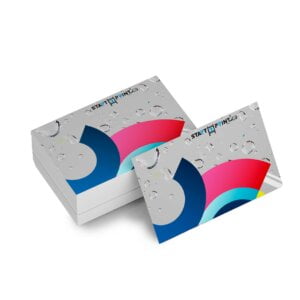
  • Pearl paper stock has a smooth, metallic shine due to the iridescent fibers infused into the pearl paper. Often referred to as pearl shimmer paper, this stock has a unique aesthetic appeal along with its distinct texture.
{{nbd_fields['f1609565697662'].invalidOption}} is not available
{{nbd_fields['f1610814888277'].invalidOption}} is not available
{{nbd_fields['f1610867493873'].invalidOption}} is not available
{{nbd_fields['f1611102313021'].invalidOption}} is not available
{{nbd_fields['f1611191759910'].invalidOption}} is not available

Please check invalid fields and quantity input or choose a different combination!

online design

Upload design

Artwork name :
Front Side
Back Side
Complete

← Back to option

ARTWORK PREPARATION TIPS

  1. Be sure to DELETE any hidden layers that are not intended to print (ie: setup guide layers or other hidden artwork layers) to ensure no risk of them appearing on the final print.
  2. Files must be submitted with proper orientation to ensure proper back up.
  3. It is best to try to avoid using borders in your design. If a border is too close to the trim, the trim may be slightly off-center.
  4. Ensure that your PDF is high res and that all images are CMYK at 300 DPI.
  5. All type must be outlined (not embedded).
  6. No linked images.
  7. If file contains a dieline, it must be a separate spot colour called Dieline and be on its own layer.
  8. The dieline shape must be a single path stroked.
  9. Please provide vector only artwork for type, logos, shapes and all other artwork. Only provide embedded raster artwork for actual 4/C images.
  10. Black type should have the following values: C0, M0, Y0, K100.
  11. The trim size of the Illustrator file must match the final trim size of the label. Use bleed settings in Illustrator of 0.0625 inches minimum each way.
  12. If you select a White Ink option with your order, please supply a single file that includes CMYK (if necessary) and a spot colour called exactly White_Ink. Do not supply separate files for CMYK and White Ink. If you want white ink to print under a blue colour, you need to set either the blue shape or the White_Ink shape to overprint to achieve this. You may also want to set a White_Ink shape to knockout so nothing prints on top of it. Remember to set overprints on any Dieline.
  13. File should be CMYK only (no RGB) with a Dieline and/or White_Ink spot colour depending on your order specifications.
  14. If you select Black Only option on your order, the file you supply should be K only (not CMYK or RGB) with a Dieline and/or White_Ink spot colours depending on your order specifications.

( * file extension allowed: .pdf )

How would you like to design your Pearl Paper Postcards

Upload a full design

  • - Have a complete design
  • - Have your own designer

Design here online

  • - Already have your concept
  • - Customise every detail
×
Estimated Shipping Cost

SKU: s2p91749 Category:
Description

Description

pearl-paper-300x250

Pearlescents 110lb

What is pearlescent paper? Pearlescent paper is a subtly shimmering paper stock infused with fibers that show up as tiny metallic specks.
pearl-paper-print-300x231

Print on Pearl Paper

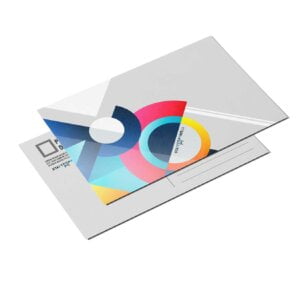
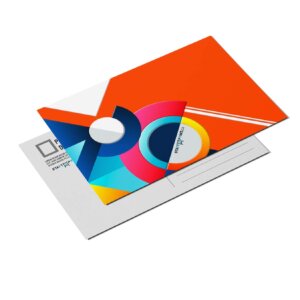
Our wholesale pearlescent paper printing allows the shimmer in the Pearl Paper Postcards to shine through ink. Areas of the paper that have no ink look like they have silver dust brushed gently over them.

pearl-paper-elegant-300x229

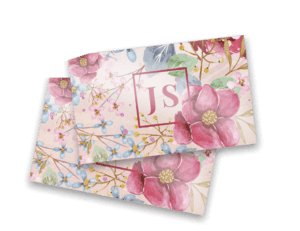
Elegant Pearl Postcards

When held under the light at certain angles, these elegant Pearl Paper Postcards appear to glitter, making them look like they were printed on stardust. It’s no wonder pearl paper for wedding invitations is so popular.

Additional information

Additional information

Weight0.04 lbs
Dimensions10 × 40 × 40 in
How To Set Up Your Files

How To Set Up Your Files

General File Preparation Guidelines

  1. Download our guides to ensure a more optimal print result.
  2. Be sure to DELETE any hidden layers that are not intended to print (ie: setup guide layers or other hidden artwork layers) to ensure no risk of them appearing on the final print.
  3. Each job (including multiple paged projects) must be submitted as a single PDF file. Ensure that all pages are the same size.
  4. Files must be submitted with proper orientation to ensure proper backup.
  5. It is best to try to avoid using borders in your design. If a border is too close to the trim, the trim may be slightly off-center.
  6. File must consist of 1/8″ bleed and all important art and text must be within the safety margin.
  7. Ensure that your PDF is high res and that all images are CMYK at 300 DPI.
  8. Black type should have the following values: C0, M0, Y0, K100.
  9. Embed or outline all fonts.
  10. For best colour results, supply a CMYK only files.
Download Setup Guide

Download Setup Guide

Step 1:

Ensure the file matches the product’s required dimensions. Ensure that the artwork
is created in CMYK 300 dpi with 1/16 inch bleeds on all sides.

 

Step 2:

Make sure that all images are embedded, and that all the text is outlined.

 

Step 3:

Export all files into PDF format with bleeds.


How to set up multi-page files properly

File Orientation Guide

File Orientation Guide

File Orientation refers to the orientation of the artwork files submitted. Ensure that they are submitted to back up properly to produce the intended result.

Flat Artwork (Postcards, Flyers etc.)

Shipping & Delivery