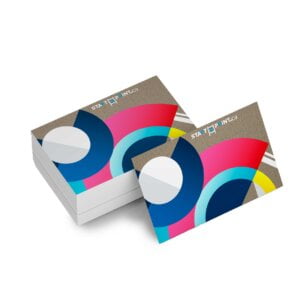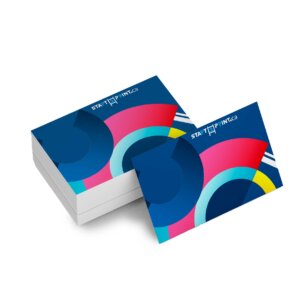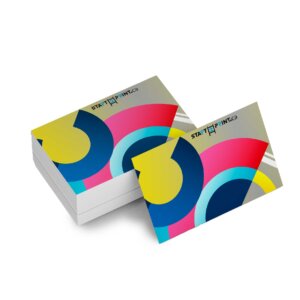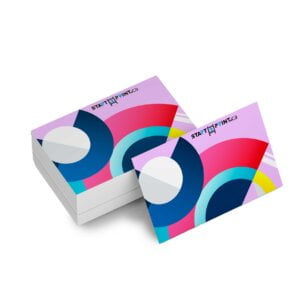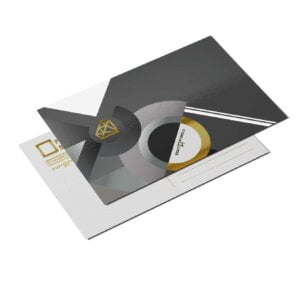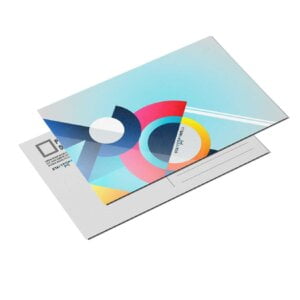
SPOT UV Postcards

From $0.83

Print laminated postcards with raised spot gloss for a premium marketing tool.

  • Silky matte lamination
  • Slightly raised clear UV gloss
  • Lamination provides a protective layer for cards
  • Perfect for adding tactile elements to print
{{nbd_fields['f1609565697662'].invalidOption}} is not available
{{nbd_fields['f1610814888277'].invalidOption}} is not available
{{nbd_fields['f1610867493873'].invalidOption}} is not available
{{nbd_fields['f1611102313021'].invalidOption}} is not available
{{nbd_fields['f1611683677572'].invalidOption}} is not available
{{nbd_fields['f1611102344849'].invalidOption}} is not available
{{nbd_fields['f1609565932906'].invalidOption}} is not available

Please check invalid fields and quantity input or choose a different combination!

online design

Upload design

Artwork name :
Multi page PDF file
Complete
Please submit two PDF files for each side
  1. Upload Regular full color artwork (Front side file)

  2. Upload the Spot UV template, indicating the area of the SPOT (Front side SPOT UV file)

  3. Upload Regular full color artwork (Back side file)

  4. Upload the Spot UV template, indicating the area of the SPOT (Back side SPOT UV file)

  5. There is no need to supply a file for the "Back Side Spot UV” page if you are ordering a two-sided job with spot UV on only one side.

For the on-the-spot UV template file, indicate the spot UV areas using 100% K. Non-UV areas should be white. For best results, ensure this file is vector.

If you require one side to be completed UV-coated, the corresponding page in your template file should be entirely filled with 100% K.

Spot Uv Info

We do not recommend extending the spot UV design to the edge of the card, as there is a high likelihood that the varnish will peel off. There should be at least a 5mm varnish-free area around the edges. Failing to provide this could result in delays and/or unexpected print results.

Positioning of the spot UV cannot be 100% guaranteed. Please note that there may be a shift of approximately 1/16" in the spot UV position on the printed product. We do not recommend placing spot UV on small text or very small images.


  1. Download our guides to ensure optimal print results.
  2. Be sure to DELETE any hidden layers that are not intended to print (e.g., setup guide layers or other hidden artwork layers) to avoid them appearing on the final print.
  3. Each job (including multiple-page projects) must be submitted as a single PDF file. Ensure that all pages are the same size.
  4. It is best to try to avoid using borders in your design. If a border is too close to the trim, the trim may be slightly off-center.
  5. The file must consist of a 1/8″ bleed, and all important art and text must be within the safety margin.
  6. Ensure that your PDF is high-res and that all images are CMYK at 300 DPI.
  7. Black type should have the following values: C0, M0, Y0, K100.
  8. Embed or outline all fonts.
  9. For best color results, supply a CMYK-only file.
×
Estimated Shipping Cost

SKU: s2p88235 Category:
Description

Description

laminated-stock-300x224

Premium Thick Postcards

Our 16pt C2S stock is covered in matte lamination for 18pt cards. The result is professional and luxurious.
pc-spot-uv-300x204

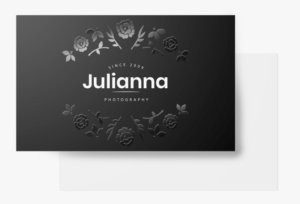
Clear Spot Gloss

By supplying a spot UV file, you indicate where you would like us to add the glossy UV. This creates beautiful results that make the design pop.

spot-uv-bc-three-1-300x204

Making Print Tactile

Run your fingers over the raised spot UV on soft, smooth lamination to see how print can offer a memorable tactile experience.

Additional information

Additional information

Weight0.04 lbs
Dimensions10 × 40 × 40 in
How To Set Up Your Files

How To Set Up Your Files

General File Preparation Guidelines

  1. Download our guides to ensure a more optimal print result.
  2. Be sure to DELETE any hidden layers that are not intended to print (ie: setup guide layers or other hidden artwork layers) to ensure no risk of them appearing on the final print.
  3. Each job (including multiple paged projects) must be submitted as a single PDF file. Ensure that all pages are the same size.
  4. Files must be submitted with proper orientation to ensure proper backup.
  5. It is best to try to avoid using borders in your design. If a border is too close to the trim, the trim may be slightly off-center.
  6. File must consist of 1/8″ bleed and all important art and text must be within the safety margin.
  7. Ensure that your PDF is high res and that all images are CMYK at 300 DPI.
  8. Black type should have the following values: C0, M0, Y0, K100.
  9. Embed or outline all fonts.
  10. For best colour results, supply a CMYK only files.
Download Setup Guide

Download Setup Guide

Step 1:

Ensure the file matches the product’s required dimensions. Ensure that the artwork
is created in CMYK 300 dpi with 1/16 inch bleeds on all sides.

 

Step 2:

Make sure that all images are embedded, and that all the text is outlined.

 

Step 3:

Export all files into PDF format with bleeds.


How to set up multi-page files properly

File Orientation Guide

File Orientation Guide

File Orientation refers to the orientation of the artwork files submitted. Ensure that they are submitted to back up properly to produce the intended result.

Flat Artwork (Postcards, Flyers etc.)

Shipping & Delivery