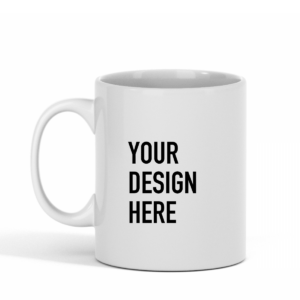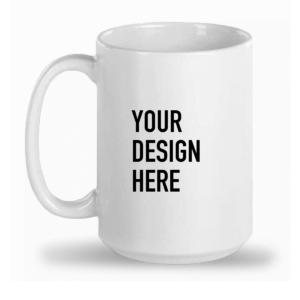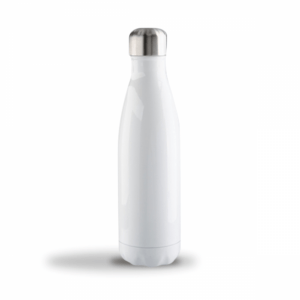


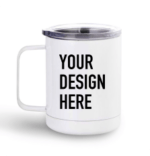
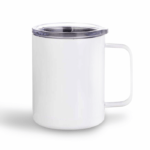
10oz Stainless Steel Mug
From $42.00
- These custom printed stainless steel mugs are perfect for branding, gifting, and more. these convenient metal mugs branded with their own logo, slogan, or design.
Description
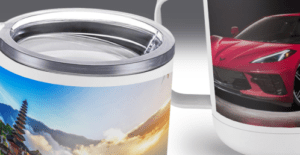
Sublimation Printing
Our high quality, full color sublimation printing for mugs allows you to print a wide variety of colorful designs without order minimums.
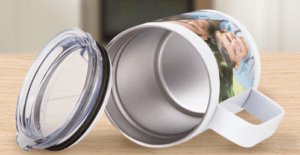
Convenient Lid and Handle
Each branded mug comes with a practical handle and a clear suction lid with an opening for drinking. The stainless steel makes this item easy to clean.
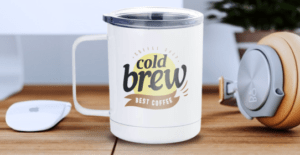
Branded Mugs
Custom printed mugs are popular for many occasions, including corporate socials, personal gifts, bridal showers, anniversaries, and more.
Additional information
| Weight | 5 lbs |
|---|---|
| Dimensions | 20 × 20 × 5 in |
Sublimation Printing Guidelines
1.Create and upload elements of your artwork
For best results, we recommend building your artwork in our mockup generator platform. This means you create elements of your artwork in your usual design software and save each element (e.g. logo, slogan) as a separate file. You do not need to create a complete printable file with all the elements together. You can upload your elements as individual files in our mockup generator and position them there to create the printable layout you require.
2.Submit files in PNG or JPEG format with at least 150 DPI
We recommend using PNG for designs with a transparent background. For other designs, we advise preparing files in JPEG instead.
3.Create files in sRGB color profile
To ensure that your design looks as close as possible to what appears on your screen, make sure you create your print file in sRGB color profile.
4.Remove print file template guidelines
If you use our downloadable templates, delete the guide layers before saving your files. If you don’t delete them, they’ll show up on the print.
Tips for Best Results
• Avoid semi-transparent designs
Semi-transparent graphics (or elements with lowered opacity) don’t translate well in Sublimation printing. We advise using solid colors or simulating semi-transparency by halftoning (for more information, see our video tutorial).
• Create designs with the necessary DPI
Simply typing in a new resolution value into the file won’t result in a higher resolution print. If your graphic’s resolution is too low, the best solution is to recreate it.
Disclaimers
- If images are upload with a non-transparent background, this background will appear when printed. Download our guide for how to remove backgrounds.
Content Guidelines
Acceptable Content Guidelines
Start2Print is respectful of others and the law. Content that is hateful, illegal, and/or that violates intellectual property rights may be reviewed and removed at any time.
Intellectual Property Rights
Please ensure that you own the content that you upload onto Start2Print, or have the rights to use, display, and resell it. Content must comply with right of publicity, trademark, and copyright laws.
Illegal Content
Start2Print has the right to remove content that depicts child pornography, obscene content, or content that depicts or promotes illegal activity. It is your responsibility to understand and abide by your local laws and those of the regions that you ship orders to.
Hateful Content
Start2Print values tolerance, understanding, and respect. We may remove content that expresses hatred towards any individual or group. Please refrain from uploading this type of content.
General Notes
All content is subject to review and Start2Print reserves the right to remove it at any time and for any reason. Each case may be evaluated individually. By submitting content to Start2Print, you accept that it complies with both our guidelines and Terms of Service. This Policy shall be governed and interpreted in accordance with the English language, regardless of any translations made for any purpose whatsoever.