Removable Decals

From $5.12

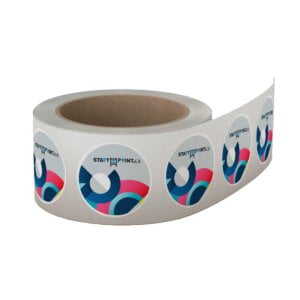
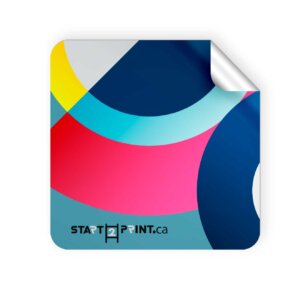
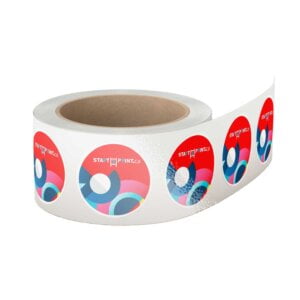
A custom cut, removable vinyl decal is great for temporary signage, decor, or branding.

  • Flexible, white calendered vinyl film
  • Scuff-resistant, opaque, matte surface
  • Adheres to flat surfaces and simple curves
{{nbd_fields['f1611796442033'].value_name}}
Circle
Oval
Square
Rectangle
{{nbd_fields['f1611796442033'].invalidOption}} is not available
{{nbd_fields['f1632455716653'].invalidOption}} is not available
{{nbd_fields['f1632456248362'].invalidOption}} is not available
{{nbd_fields['f1632457043144'].invalidOption}} is not available
{{nbd_fields['f1632457540406'].invalidOption}} is not available
{{nbd_fields['f1611102313021'].invalidOption}} is not available
{{nbd_fields['f1611160320156'].invalidOption}} is not available
{{nbd_fields['f1611191759910'].invalidOption}} is not available

Please check invalid fields and quantity input or choose a different combination!

online design

Upload design

Artwork name :
Add Design File
Complete

ARTWORK PREPARATION TIPS

  1. Be sure to DELETE any hidden layers that are not intended to print (ie: setup guide layers or other hidden artwork layers) to ensure no risk of them appearing on the final print.
  2. Files must be submitted with proper orientation to ensure proper back up.
  3. It is best to try to avoid using borders in your design. If a border is too close to the trim, the trim may be slightly off-center.
  4. Ensure that your PDF is high res and that all images are CMYK at 300 DPI.
  5. All type must be outlined (not embedded).
  6. No linked images.
  7. If file contains a dieline, it must be a separate spot colour called Dieline and be on its own layer.
  8. The dieline shape must be a single path stroked.
  9. Please provide vector only artwork for type, logos, shapes and all other artwork. Only provide embedded raster artwork for actual 4/C images.
  10. Black type should have the following values: C0, M0, Y0, K100.
  11. The trim size of the Illustrator file must match the final trim size of the label. Use bleed settings in Illustrator of 0.0625 inches minimum each way.
  12. If you select a White Ink option with your order, please supply a single file that includes CMYK (if necessary) and a spot colour called exactly White_Ink. Do not supply separate files for CMYK and White Ink. If you want white ink to print under a blue colour, you need to set either the blue shape or the White_Ink shape to overprint to achieve this. You may also want to set a White_Ink shape to knockout so nothing prints on top of it. Remember to set overprints on any Dieline.
  13. File should be CMYK only (no RGB) with a Dieline and/or White_Ink spot colour depending on your order specifications.
  14. If you select Black Only option on your order, the file you supply should be K only (not CMYK or RGB) with a Dieline and/or White_Ink spot colours depending on your order specifications.

( * file extension allowed: .pdf )

×
Estimated Shipping Cost

SKU: s2p38223 Category:
Description

Description

pd-one-300x204

Custom Die Cut Shapes

Our custom decal printing services allow you to offer custom die cut vinyl sticker decals in any shape. Be sure to create a dieline layer to indicate your custom shape.


pd-four-300x204

Indoor & Outdoor Vinyl Decals

Whether your clients need removable vinyl wall decals for their office or outdoor vinyl decals for the store, these removable vinyl decals do the trick.


pd-five-300x204

Versatile Applications

Custom cut, removable vinyl decals are popular for point-of-purchase displays, trade shows signage, promotional wall graphics, and more.


No Multi-Cuts: Please note that we will not cut one order into multiple pieces. Artwork containing multiple cut pieces will be rejected.

Additional information

Additional information

Weight0.06 lbs
Dimensions10 × 40 × 40 in
File Orientation Guide

File Orientation Guide

  1. File Orientation refers to the orientation of the artwork files submitted. Ensure that they are submitted to back up properly to produce the intended result.

    Flat Artwork (Postcards, Flyers etc.)

How To Set Up Your Files

How To Set Up Your Files


General File Preparation Guidelines

  1. Download our guides to ensure a more optimal print result.
  2. Be sure to DELETE any hidden layers that are not intended to print (ie: setup guide layers or other hidden artwork layers) to ensure no risk of them appearing on the final print.
  3. Each job (including multiple paged projects) must be submitted as a single PDF file. Ensure that all pages are the same size.
  4. Files must be submitted with proper orientation to ensure proper backup.
  5. It is best to try to avoid using borders in your design. If a border is too close to the trim, the trim may be slightly off-center.
  6. File must consist of 1/8″ bleed and all important art and text must be within the safety margin.
  7. Ensure that your PDF is high res and that all images are CMYK at 300 DPI.
  8. Black type should have the following values: C0, M0, Y0, K100.
  9. Embed or outline all fonts.
  10. For best colour results, supply a CMYK only files.
Shipping & Delivery